Basic Information:
- System environment: Linux desktop
- Application: Codex desktop
- Proxy tool: Clash Verge
- Port number: 7897
- Network prerequisite: The browser can access ChatGPT normally, and IPv6 has been disabled.
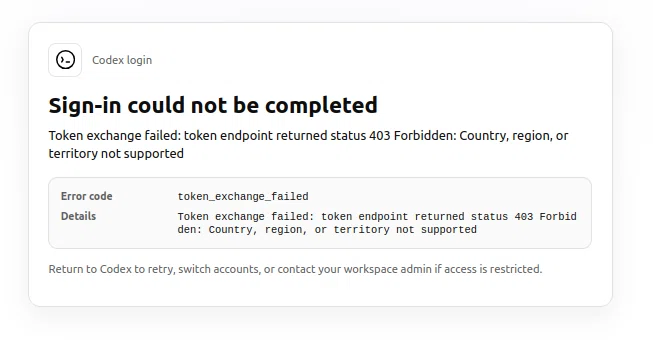
The browser can access ChatGPT, which means the network itself is available.
However, the Codex desktop app is based on Electron, and the token exchange request in its login flow does not go through the proxy. As a result, the OpenAI server sees a local IP address, determines that it is from an unsupported country/region, and returns 403 Forbidden.
Solution
Resolve the issue by applying two configurations at the same time:
Configure ~/.codex/.env
Check whether the relevant file exists; if not, create it.
1 | mkdir -p ~/.codex |
Write the following content, making sure to use your actual port number.
1 | HTTP_PROXY=http://127.0.0.1:7897 //Codex 的 HTTP/HTTPS 请求走代理 |
Configure Electron proxy parameters
Check whether the relevant file exists; if not, create it.
1 | mkdir -p ~/.config/Codex |
Write the following content, making sure to use your actual port number.
1 | --proxy-server=http://127.0.0.1:7897 # 强制 Electron 外壳层使用代理。 |
If the configuration directory used by Codex on this machine is not ~/.config/Codex, check whether it is a corresponding directory such as ~/.config/codex-desktop-linux.
Restart Codex
Restart Codex and log in again. The problem should no longer occur, and you should be able to log in normally.